Table of Contents
- 1. What Exactly Is an "IPTV Box"?
- 2. Why Most Canadians Don't Need to Buy One
- 3. Devices You Already Own That Work Perfectly
- 4. Comparison: Dedicated IPTV Box vs. Amazon Firestick vs. Smart TV
- 5. The "Fully Loaded" Box Trap to Avoid
- 6. How to Turn Your Existing Device into a Live TV Hub
- 7. Frequently Asked Questions (FAQs)
If you have spent any time browsing Facebook Marketplace, Kijiji, or local electronics shops in Toronto, Vancouver, or Montreal, you have almost certainly seen them: black plastic set-top boxes advertised as "Magic TV Boxes" or "Free Cable Forever Units," often carrying price tags anywhere from $120 to $250.
Sellers often make it sound like you cannot stream live TV without purchasing their proprietary hardware. But here is the plain truth: you almost certainly do not need to buy an IPTV box. If you already have an Amazon Fire TV Stick, a Google TV dongle, or even a modern Smart TV hanging on your wall, you already own everything necessary to watch live HD television.
In this guide, we break down what an IPTV box actually is, why dedicated units are usually an unnecessary expense, and how to turn the hardware you already own into a lightning-fast television setup using KingTV’s Canadian streaming service.
1. What Exactly Is an "IPTV Box"?
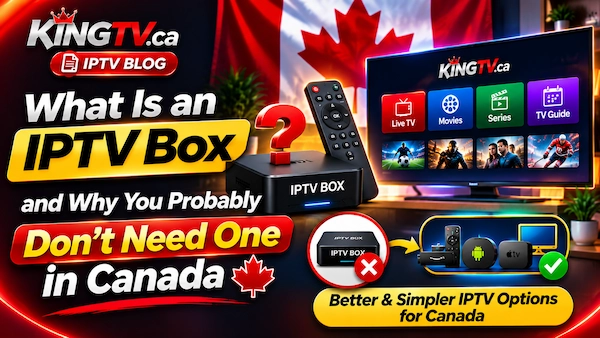
At its core, an "IPTV box" is simply a small digital receiver that connects to your home television via an HDMI cable. It takes digital video data sent over your internet connection and translates it into standard video signals that your television display can show.
Historically, dedicated boxes (like older MAG or BuzzTV units) were necessary because early televisions were "dumb" screens with no built-in processors, Wi-Fi antennas, or app stores. To decode high-definition video streams in real-time, you needed external hardware handling the heavy lifting.
Underneath the plastic casing, almost all modern IPTV boxes are simply running a modified version of the Android mobile operating system. There is no proprietary magic inside—it is fundamentally the same basic software architecture found inside a standard smartphone or an Amazon Firestick.
2. Why Most Canadians Don't Need to Buy One
Ten years ago, buying a dedicated decoder box made sense. Today, the technology landscape has completely shifted for three big reasons:
- Your Television Already Has a Fast Processor: Modern Smart TVs powered by Google TV, Android TV, Samsung Tizen, or LG webOS already have dedicated video decoders capable of 4K 60fps playback built directly into the screen.
- Streaming Sticks Are Cheaper and Faster: Mass-market devices from major tech manufacturers benefit from massive economies of scale. A $50 to $70 streaming stick frequently has a faster processor, better Wi-Fi 6 reception, and longer software support than a $180 generic Android box imported in a plain cardboard box.
- IPTV Is an App, Not Hardware: Modern streaming works through software applications (such as TiviMate, IPTV Smarters, or XCIPTV). You simply download the player onto the device you already use every day.
Spending extra money on a proprietary receiver when you already have a compatible device is like buying a separate camera just to take pictures for social media when you already have a brand-new smartphone in your pocket.
3. Devices You Already Own That Work Perfectly
Before you spend a single dollar on new equipment, check your living room and bedrooms. If you own any of the following, you are already 100% ready to stream:
The most popular streaming device in Canada. Fast, highly portable, easy to set up with voice search, and compatible with every major IPTV player application.
No extra HDMI dongle needed. Simply open the Google Play Store on your TV, install your preferred IPTV app, and control everything with your TV's original remote.
Search for player apps like IPTV Smarters or IBO Player directly in the Samsung App Store or LG Content Store. Connect your line in under 2 minutes.
Compact, clean interface with universal search and responsive playback for live channels, sports, and video on demand.
To see exactly how to install your streaming app on any of these platforms, visit our free step-by-step setup guides.
4. Comparison: Dedicated IPTV Box vs. Amazon Firestick vs. Smart TV
Here is how popular hardware setups compare for Canadian cord-cutters in terms of real-world cost, performance, and flexibility:
| Feature | Amazon Firestick 4K | Built-In Smart TV App | Dedicated IPTV Box (Formuler / Buzz) |
|---|---|---|---|
| Average Hardware Price | ~$49 – $75 CAD | $0 CAD (Already owned) | $160 – $240 CAD |
| App Flexibility | Runs Netflix, Prime, YouTube + IPTV | All native TV streaming apps | Often restricted or poor official app certification |
| Remote Control | Bluetooth voice remote (Alexa) | Your original TV remote control | Full numeric keypad remote |
| Software Updates | Regular security patches & OS updates | TV manufacturer updates | Updates often stop after 1–2 years |
| Who It’s Best For | 95% of Canadian households | Clean, cord-free minimalist setups | Enthusiasts who insist on number buttons |
As the comparison demonstrates, unless you have a strong preference for a physical remote with number keys (0 through 9) to punch in channel numbers like an old-fashioned cable box, there is very little reason to pay triple the price for a dedicated unit.
5. The "Fully Loaded" Box Trap to Avoid
When shopping online, be cautious of sellers offering "pre-loaded" or "jailbroken" boxes advertised with claims like "Buy once, watch free forever." Here is what usually happens behind the scenes with these listings:
- Substandard Hardware: Many unbranded boxes use outdated, sluggish processors with just 1GB or 2GB of low-grade memory. They overheat easily, freeze during high-action sporting events, and suffer from remote lag.
- Vanishing Resellers: Sellers bundling "lifetime" service with hardware frequently disappear after 3 to 6 months. When the streams stop working, the seller's email address and phone number are disconnected, leaving you with an overpriced paperweight.
- Security Risks: Uncertified Android boxes from untrusted sources can ship with unpatched security vulnerabilities or modified firmware that compromises your home network.
The safest and most reliable approach is simple: own your hardware separately from your service. Buy an authentic, certified device (like an Amazon Firestick or Apple TV) from a reputable Canadian retailer, and choose a flexible, prepaid service that you control. To learn more about how internet television operates responsibly in Canada, read our comprehensive guide on Canadian IPTV legality and consumer rights.
6. How to Turn Your Existing Device into a Live TV Hub
Setting up your existing TV or streaming stick takes less than 5 minutes. Here is the entire process from start to finish:
On Firestick or Android TV, search for applications like TiviMate or IPTV Smarters Pro. On Samsung and LG TVs, look for IPTV Smarters or IBO Player directly in the TV's official app store.
Never commit to a long subscription without testing first. Request a free 24-hour IPTV trial to verify how smoothly local channels, sports networks, and movie categories load on your home Wi-Fi.
Open your player app, select "Xtream Codes API" or "M3U Playlist," and enter the server URL, username, and password provided to you. Your full channel directory and TV guide will populate instantly.
Once you confirm everything runs smoothly, explore our flexible, contract-free Canadian IPTV plans and enjoy full TV access on your own schedule.
7. Frequently Asked Questions (FAQs)
Does a Firestick perform as well as a $180 IPTV box?
Yes, and in many situations even better. The Amazon Fire TV Stick 4K Max features modern Wi-Fi 6 antennas and a fast quad-core processor that decodes live 4K streams with virtually zero latency. It also gives you access to official Canadian apps that uncertified Android boxes cannot run properly.
Do I need to "jailbreak" or unlock my streaming device?
No. "Jailbreaking" is a misleading marketing buzzword. Setting up a Firestick or Android TV simply involves installing an official media player app from an app repository or via direct developer download. No hardware modification, warranty voiding, or system rooting is involved.
Can I take my streaming stick with me when I travel?
Yes. One of the greatest benefits of using an Amazon Firestick or Google TV dongle is portability. You can unplug it from your living room, pack it in your carry-on, plug it into a hotel or cottage TV, connect to Wi-Fi, and enjoy your exact home channel guide anywhere.
What internet speed do I need to stream on my existing TV?
You only need 15 to 25 Mbps of stable download speed for crisp 1080p high definition, and 35 to 50 Mbps for full 4K UHD. As reported by the Canadian Internet Registration Authority (CIRA), standard Canadian home broadband packages easily exceed these requirements. For more cord-cutting advice, check our guide on how to watch TV without cable in Canada.
Ready to Stream on the Screen You Already Have?
Skip the overpriced hardware. Turn your existing Smart TV, Firestick, or Android device into a complete television hub with zero contracts and no equipment rental fees.